As an Amazon Associate, we earn from qualifying purchases. Some links on this site are affiliate links at no extra cost to you. Our recommendations are based on thorough research and editorial judgment.


Heat Management in Wireless Charging: What’s Normal

Wireless charging typically generates some heat. Normal operating temperatures reach around 40°C (104°F). Factors contributing to excessive heat include coil misalignment, low battery levels, and thick phone cases. Maintaining good ventilation and using certified chargers can help manage heat effectively. If chargers become excessively hot or show signs of damage, it’s essential to seek professional help. Understanding these factors will guarantee peak charging efficiency and safety for your devices. More insights await on how to enhance your charging experience.
Key Takeaways
- Wireless chargers typically operate at temperatures up to 40°C (104°F), which is considered normal for safe usage.
- Excessive heat may signal issues like coil misalignment, thick cases, or low battery levels, requiring investigation.
- Good ventilation and avoiding intensive tasks during charging can help manage heat effectively.
- Using high-quality, certified chargers reduces energy loss and minimizes heat generation during the charging process.
- Monitor for warning signs like burning smells or overheating; seek professional help if these occur.
Understanding Heat Generation in Wireless Charging
You may be interested


Wireless charging operates through electromagnetic induction, a process that naturally produces heat. This heat generation occurs due to energy loss during the energy transfer from the charging coils to mobile phones. Compared to wired charging, the efficiency of wireless charging is lower, which can result in increased heat buildup.
Misalignment of charging coils amplifies heat generation, requiring more power to achieve effective energy transfer. Additionally, thick or incompatible phone cases can obstruct the electromagnetic field, leading to greater resistance. Environmental factors, such as high ambient temperatures and poorly ventilated spaces, can further elevate heat levels during wireless charging. Modern chargers incorporate over-voltage protection and smart chipsets to manage heat and prevent potential damage during the charging process. Understanding these aspects is essential for optimizing charging performance and minimizing heat-related issues.
Factors Contributing to Excessive Heat

Many aspects of wireless charging systems can lead to excessive heat generation, impacting overall charging efficiency. One primary factor is energy loss inherent in wireless charging, where heat is produced during the inductive process. Additionally, coil misalignment can diminish magnetic field strength, increasing the power draw and resulting in more heat. The presence of thick or metal phone cases can further disrupt the magnetic field, causing heat entrapment during charging. When batteries are low, the need for a higher charging output escalates heat production, which may exceed standard limits. Ultimately, poorly ventilated environments inhibit effective heat dissipation, causing both the charger and device to overheat, contributing to the overall issue of excessive heat in wireless charging systems. Modern chargers incorporate built-in protections against overheating and overcharging to help mitigate these thermal issues and ensure safe operation.
Identifying Normal Operating Temperatures

Understanding the normal operating temperatures for wireless chargers is essential for ensuring safe and efficient use. Wireless charging typically generates slight warmth during operation, which is expected due to energy loss. Normal operating temperatures can range from warm to the touch to around 40°C (104°F).
If a charger becomes excessively hot, it may signal potential issues that could affect battery health. Continuous monitoring of temperature during charging is vital. If charging becomes unreliable or the charger blinks excessively, it indicates that it may be nearing unsafe temperature levels. Quality wireless chargers incorporate overheating protection mechanisms to prevent potential damage and automatically regulate temperature during operation. Ensuring the charger operates within these normal operating temperatures enhances the overall charging experience and safeguards both the device and charger from overheating problems.
Effective Heat Management Strategies

To guarantee ideal performance and longevity of wireless chargers and devices, effective heat management strategies are essential. Placing the charging pad in a well-ventilated area promotes heat dissipation, reducing excessive heat during use. Avoid intensive tasks like gaming or streaming while wirelessly charging, as these considerably increase heat generation.
Utilizing high-quality, Apple-certified chargers minimizes energy loss and heat buildup during the charging process. Regularly monitor temperature; slight warmth is normal, whereas excessive heat indicates a potential problem. Additionally, removing bulky phone cases enhances airflow, facilitating more efficient charging. Wireless chargers with foreign object detection can prevent unnecessary heat generation by identifying metal objects or incompatible items on the charging surface. By implementing these cooling strategies, users can sustain ideal charging conditions and prolong the lifespan of their devices.
When to Seek Professional Help

How can one determine when it’s time to consult a professional regarding wireless charging issues? If a charger feels excessively hot, even when unplugged, it’s a sign that professional help is needed to avoid safety hazards. Frequent interruptions during charging, particularly at lower battery percentages, may indicate a significant problem requiring a technician’s expertise. Additionally, any burning smells or visible damage on the charger should prompt immediate consultation to prevent further risks. An improperly functioning charger that continually warns of high temperatures must also be assessed for potential battery health issues. When dealing with MagSafe battery packs, issues with overheating protection features may also warrant professional evaluation to ensure the device operates safely. Users are advised to contact service providers like Apple Support or certified technicians to address these concerns effectively, ensuring device and user safety.
Recommended Products

【Integrated Bluetooth, Real-Time Monitoring】LiTime 24V 100Ah Bluetooth Lithium Iron Phosphate (LiFePO4) Battery has Bluetooth function, the latest Bluetooth function not only monitors the battery status such as voltage, current, and capacity of a single battery, but also monitors the operation status of the whole power system, it only takes 5 seconds to connect to the Bluetooth, so you can easily know the battery status.
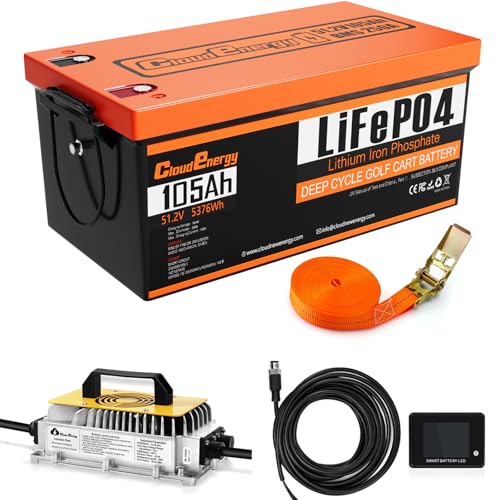
【24 hours Customer Service】Cloudenergy provides technical support and online customer service with fast feedback within 24 hours. If you have any product-related issues or questions, please get in touch with us directly, Cloudenergy support team is always here for you.

Integrated L.E.D. Battery charge level indicator allows user to monitor battery charge
Frequently Asked Questions
Is Heating Normal in Wireless Charging?
Heating is typical during wireless charging, much like a running engine. While slight warmth reflects charging efficiency, excessive heat may indicate issues. Effective thermal management guarantees safety, preserves battery life, and enhances user experience across compatible devices.
What Is the Temperature Range for Wireless Charging?
The temperature range for wireless charging typically falls between 20°C and 30°C. Exceeding these limits can affect charging efficiency, device safety, and heat dissipation, while environmental factors and material impact influence overall product specifications and energy loss.
Is It Normal for a Magsafe Charger to Heat Up?
It is normal for a MagSafe charger to heat up, reflecting its efficiency and charging speeds. User experiences indicate that heat regulation is essential for device lifespan, as overheating issues can arise from magnetic connections and product design.
Should I Be Worried if My Phone Is Hot While Charging?
Excessive heat during charging can indicate overheating risks, raising concerns about battery longevity. Users should prioritize ideal charging practices, ensuring wireless charger safety, adhering to charging pad materials guidelines, and understanding device design implications for effective thermal management technology.