As an Amazon Associate, we earn from qualifying purchases. Some links on this site are affiliate links at no extra cost to you. Our recommendations are based on thorough research and editorial judgment.


Troubleshooting Wireless Charging Issues: Common Solutions

Troubleshooting Wireless Charging Issues: Common Solutions
You may be interested


To resolve wireless charging issues, guarantee the device is properly centered on the charging pad, as misalignment disrupts energy transfer. Remove thick cases or accessories that may interfere with contact and hinder efficiency. Always use authorized chargers and cables for compatibility and safety. Monitor the device for overheating; excessive heat can damage the battery. Verify that your device is compatible with the charging pad. For persistent problems, manufacturer support can provide further assistance. More detailed insights follow.
Key Takeaways
- Ensure proper alignment of your device on the charging pad for efficient energy transfer; minor misalignments can cause charging failures.
- Remove thick cases and avoid metallic accessories that may disrupt wireless charging and cause overheating issues during the process.
- Use only Qi-certified chargers and authorized accessories to guarantee compatibility and enhance safety while charging.
- Monitor temperature carefully while charging; allow devices to cool down before subsequent charging sessions to prevent battery damage.
- For unresolved issues, document problems thoroughly and reach out to manufacturer support for potential warranty services or troubleshooting assistance.
Common Wireless Charging Issues
Wireless charging offers convenience, but several issues can arise during the process. One common charging issue involves misalignment on the wireless charging pad, which disrupts energy transfer, leading to ineffective charging. Users should center their devices directly on the pad to guarantee peak performance. Additionally, overheating can occur if the device runs demanding applications or has thick accessories attached, reducing charging efficiency.
Another concern is slow charging speeds caused by incompatible chargers or debris obstructing contact points. To prevent interference, users should also remove accessories like cases or skins prior to charging, as these can block signals and hinder the wireless charging process. Some wireless chargers include foreign object detection features with LED alarms to alert users when metal objects or other debris interfere with safe charging. By addressing these common problems, users can enhance their wireless charging experience.
Check Device Placement on Charging Pad

Guaranteeing proper placement of a device on the charging pad is essential for effective energy transfer. The device should be centered on the pad, with the back directly facing the charger. Misalignment is a common reason for wireless charging failures; even minor off-center positioning can disrupt the electromagnetic connection. For foldable devices, closing them guarantees maximum contact and optimum alignment with the charging pad.
It is advisable to consult the User Manual specific to the device model, as it outlines correct charging contact points. Testing the device in different positions can also help identify the best orientation for successful charging. Similar to how magnetic closures on watch bands enable quick adjustments for optimal fit, wireless chargers rely on precise alignment between the device and charging coil for effective power transfer. Proper attention to device placement can greatly improve the charging experience.
Recommended Products

Has 8 TENS (Transcutaneous Electrical Nerve Stimulation) Modes: For pain relief and arthritis. FDA Cleared.

TENS: "Transcutaneous Electrical Nerve Stimulation"- a non-invasive, drug free method of pain relief used by Physical Therapists and professional Doctors for over decades. By delivering stable pulses to the skin to stimulate nerve fibers, Tens unit could effectively block the pain signal to people’s brain. At the same times, increases natural endorphins, which is a natural pain reliever. In many cases, the reduction or elimination of pain lasts longer than the actual period of stimulation

3-in-1 Exclusively for Apple: A one-stop wireless charging solution for your iPhone, Apple Watch, and AirPods.
Remove Device Accessories

Addressing device placement on the charging pad is only part of the charging equation. To guarantee effective wireless charging, one must remove device accessories. Items like thick phone cases, skins, or any metallic objects can interfere with wireless signals, causing inefficient charging. These accessories may create a gap between the phone and the charger, disrupting energy transfer.
Additionally, avoid placing credit cards or magnets near the device, as these can block electromagnetic signals essential for charging wirelessly. For best results, position the device directly on the charging pad without any hindrances. This guarantees alignment and maximizes efficiency, preventing issues such as overheating or failure to charge. Using a Qi-certified charger improves safety and ensures compatibility with your device’s wireless charging capabilities. Simplifying the setup is key to a successful charging experience.
Recommended Products

✅ Sharp Blade With Pierce Point; Offset Blade; Quick Return Blade; All Metal Planetary Drive

APP & Remote Control: Dual control by Bluetooth APP and RF remote with a hook, no more worries about losing the remote. And you own more superpowers to control this magical whips and rock lights, including grouping with friends' devices, more than 300 RGB colors & 366 editable chasing modes options, amazing syn-with music modes and being able to adjust color strobes/colors width/motion directions/brightness/speed/colors

Upgraded Size: The diameter size of this whip light is upgraded to 1.8 inches, and it uses the latest 5050 RGB LED chips, which are three times brighter and more visible even in daylight. With a thicker diameter, smaller gaps, and more light beads, it can emit light in 360° directions, providing brighter and more uniform colors
Use Authorized Chargers and Cables

The use of authorized chargers and cables can greatly impact the charging experience for devices. For optimal wireless charging, certified chargers guarantee compatibility with various devices, particularly Galaxy models. These chargers are designed to meet safety regulations, minimizing potential charging issues that could arise from using generic options.
Recommended accessories, including the AC adapter and USB cable, are essential for achieving the intended charging speed. Non-certified chargers might lack critical safety features, potentially leading to overheating or even damage to the device’s battery life. Always check that the charger and cables used are manufacturer-recommended to promote efficiency and device protection. Look for chargers with Qi certification to ensure they meet established safety standards and provide reliable performance. Prioritizing authorized products can considerably improve the overall wireless charging experience.
Recommended Products
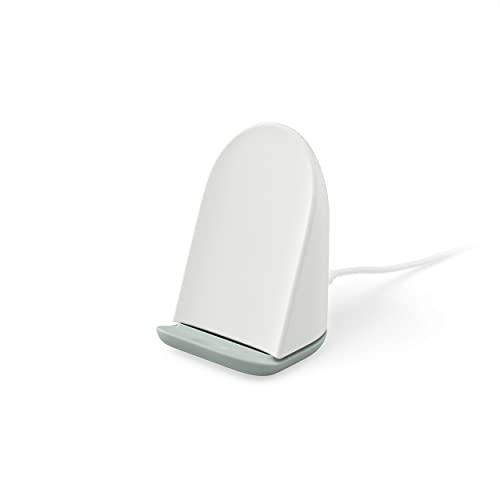
Google Pixel Stand (2nd gen) can wirelessly charge Pixel 6, Pixel 6 Pro, Pixel 7 and Pixel 7 Pro with the same power you’d get from a wired charger; just set your Pixel down and power up, phone case and all.Compatible devices:Cellular_phones.Special Feature:Wireless Charger.Input voltage: 120 volts

New 10W charger is up to 60% faster
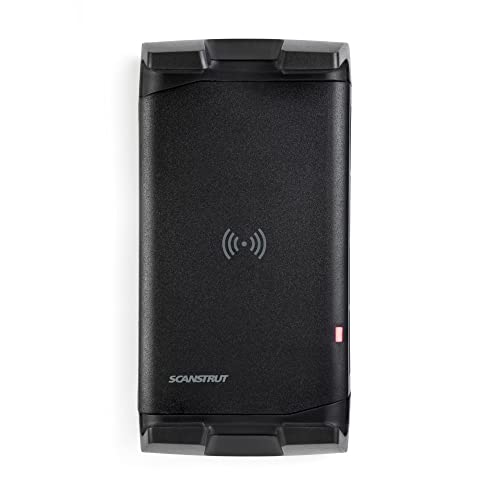
New 10W charger is up to 60% faster
Enable Fast Wireless Charging Option

Frequently, users can enhance their wireless charging experience by enabling the Fast Wireless Charging option on their compatible devices. To do this, navigate to Settings > Battery and device care > Battery, and toggle on the Adaptive Fast Charging option. It is vital to confirm that both the device and the wireless charger support Fast Wireless Charging for peak performance, typically rated between 10W to 20W.
Additionally, the device should not be charging through wired or non-fast charging USB ports during this process. Proper alignment on the charging pad is also necessary to maintain efficient charging speed. Users should regularly check and install software updates, as these updates can improve performance and compatibility with Fast Wireless Charging features.
For optimal results, ensure your charger includes overcurrent protection and intelligent power cut-off mechanisms, as these safety features help maintain consistent charging speeds while protecting your device from potential damage.
Recommended Products

Wirelessly charge two devices simultaneously

【ONE TIME WIRELESS CHARGING】This BoostCharge Pro charger allows you to charge 2 devices at the same time:15W iPhone and Apple Watch or AirPods with 5W power.

Charge at the Highest Wireless Standard Available: Powered by 25W Qi2.2 ultra-fast charging, your iPhone 17 Pro charges to 50% in just 22 minutes—up to 6× faster than standard 5W wireless chargers. Enjoy the wireless speed you've been waiting for without compromising battery health. Actual performance may vary.
Monitor Device Overheating
When a device is charged wirelessly, maintaining an ideal operating temperature becomes crucial, as overheating can diminish charging efficiency and damage the battery. Users should monitor device temperature during this process, as running multiple apps or performing demanding tasks increases heat, impacting charging performance.
To prevent overheating during wireless charging, it is advisable to remove any phone cases that can trap heat. Adequate ventilation around the charging pad is also essential; make sure that it is not obstructed by other objects.
Allowing the device to cool down before charging again can enhance the overall charging experience and prolong the battery’s lifespan. Additionally, ensuring your charger has UL Certification can provide assurance that it meets safety standards against electrical hazards that could contribute to overheating issues. These simple steps can notably improve device performance while charging wirelessly.
Verify Device Compatibility
Ensuring compatibility is an essential first step before using wireless charging technology. To verify device compatibility, users should check if their device supports wireless charging standards like Qi or MagSafe. Many smartphones require certification, so it’s important to consult the manufacturer’s official documentation or website for compatibility confirmation.
Non-compatible devices will not initiate charging on wireless pads, highlighting the need for explicit wireless charging capabilities in the phone model. Additionally, functionality may vary based on the hardware, meaning users should confirm if specific software settings or updates are required. Finally, always use certified wireless chargers that are compatible with the device to prevent overheating or other issues with wireless charging. Look for chargers with built-in temperature control and voltage protection features to ensure safe charging experiences across all your Qi-enabled devices.
Recommended Products
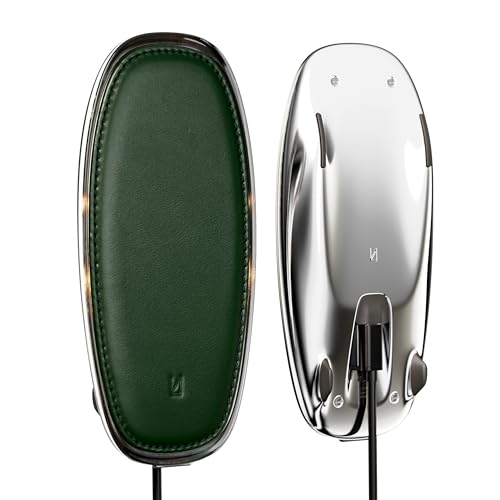
Lunar Artefacts Wireless Charger Lunar Forest Green Leather Chrome Magnetic Charging Pad

3-in-1 Wireless Charging Powerhouse: Base One Max 3 in 1 charging station seamlessly charges your iPhone (up to 15W with MagSafe), Apple Watch, and AirPods simultaneously, keeping all your devices powered up.

Sleep Better with Elvy wireless charging stand, EMF blocker & radiation protection for cell phone, and sleep aid device ALL-IN-ONE. It blocks up to 95% of EMF radiation and 84.4% of EMR as tested by Ordos Technologies on February 5,2023. Keep your phone charged close to you and still enjoy the ultimate nights sleep and better health.
Contact Support for Persistent Issues
After verifying device compatibility and attempting basic troubleshooting methods, persistent wireless charging issues may still arise. If users are experiencing issues with wireless charging that remain unresolved, it is advisable to contact support for professional assistance. Many manufacturers, such as Modern Power Solutions, offer warranty services for eligible products, which may include potential replacements.
Customers are encouraged to document recurring problems before reaching out. This information can expedite the troubleshooting process with customer support. Additionally, utilizing resources like live chat support can provide immediate assistance. For product-specific inquiries, users can also reach out directly to the Belkin Support Team, ensuring they receive tailored guidance for their concerns. Similar to how Realme provides warranty coverage for their watch band products, many electronics manufacturers offer comprehensive support programs to address defects and compatibility concerns.
Frequently Asked Questions
How to Troubleshoot Wireless Charging?
To troubleshoot wireless charging, one should guarantee correct charging pad positioning, conduct a device compatibility check, implement heat management techniques, and evaluate the power source. Addressing these aspects can improve the charging experience effectively.
What Are the Problems With Wireless Charging?
When it comes to wireless charging, several problems can arise. Interference issues, device compatibility, slow charging speed, and excessive heat generation can hinder performance, leading to frustration and decreased efficiency in keeping devices powered.
How to Troubleshoot Charging Problems?
To troubleshoot charging problems, one must assess smartphone compatibility issues, guarantee proper charging pad placement, verify the power source stability, and evaluate wireless charging efficiency to enhance overall performance and connection reliability.
Why Does My Wireless Charger Randomly Stop Charging?
“Don’t judge a book by its cover.” A wireless charger may stop working due to alignment issues, device compatibility, or an insufficient power source, leading to interruptions while charging on the pad.
